Document Metadata Enrichment
iFinder let users label and classify documents, but permissions were flat: anyone could create or edit any label. The interface was not the problem. Nobody owned the vocabulary, so it multiplied. I worked this one as designer and PM at once.
- When
- 2026 · ongoing
- Status
- In development
- Worked with
- Head of Product, backend engineers, solution specialists, customer success, and the client’s own team
01. Duplicate labels were a symptom, not the bug
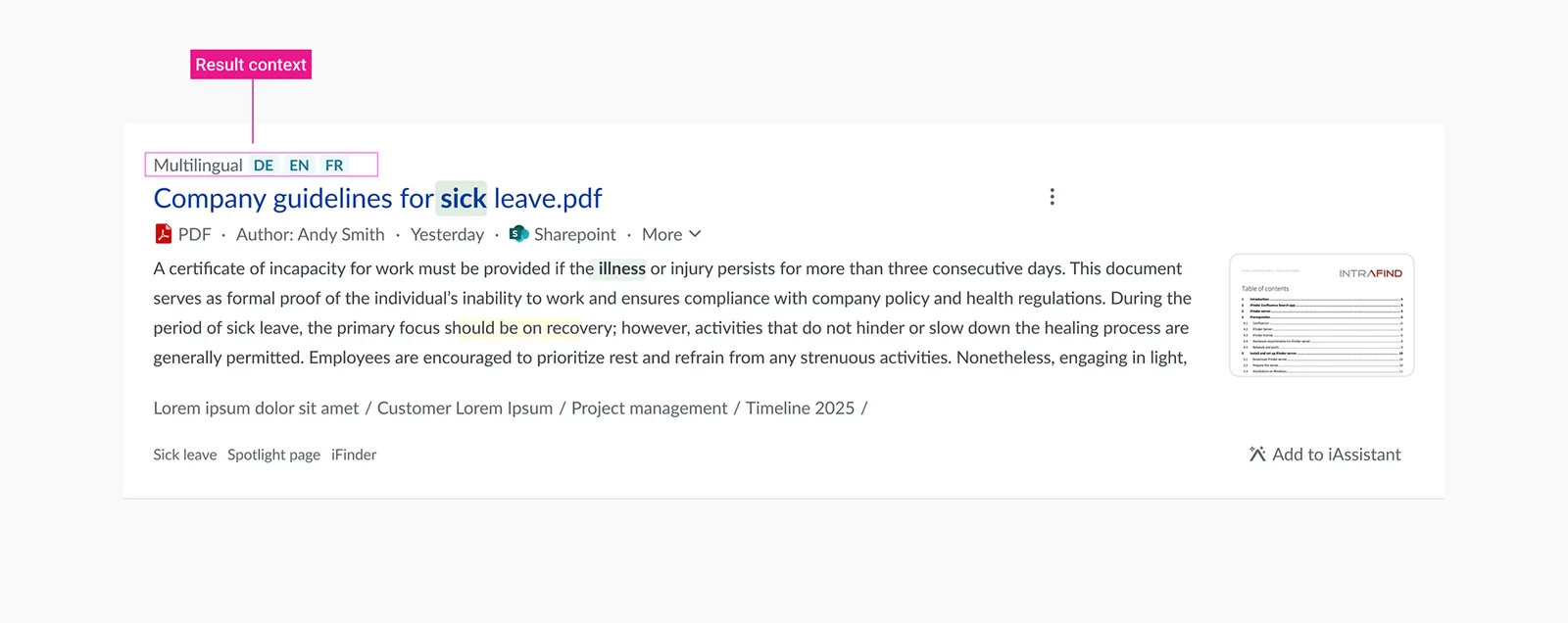
Over time, labelling produced duplicate and near-duplicate labels across documents. The same concept existed three times with slightly different wording, so filtering by a label returned part of the set and search added noise instead of clarity.
It would have been easy to read this as an interface problem and redesign the label picker. But with flat permissions, metadata degrades on its own no matter how good that picker is: if everyone can create a label, everyone does, and nobody is responsible for the vocabulary.
02. The request that shaped the default
The driver was concrete. A customer in the legal and public sector asked for structured classification directly, which gave me the first default field set: Confidentiality Level, Review and Approval Status, and Document Classification.
Designing that set for one customer with real compliance requirements turned out to be the right way to find the general case. It became the starting point for the core product default.
Image to add
03. Three layers, each with a different owner
Instead of one flat pool of labels, metadata is now split into three layers. The distinction is not visual, it is about who is allowed to define meaning and who is allowed to apply it.
- Layer 01
System fields
Standard metadata that the platform itself maintains — the facts about a document that should never be up for interpretation.
Visible to everyone · editable by no one - Layer 02
Admin fields
Structured fields such as Confidentiality Level or Review Status. I propose field types based on the customer’s use case, and admins confirm and adapt them before launch.
Defined with the admin · admins decide who edits values - Layer 03
User labels
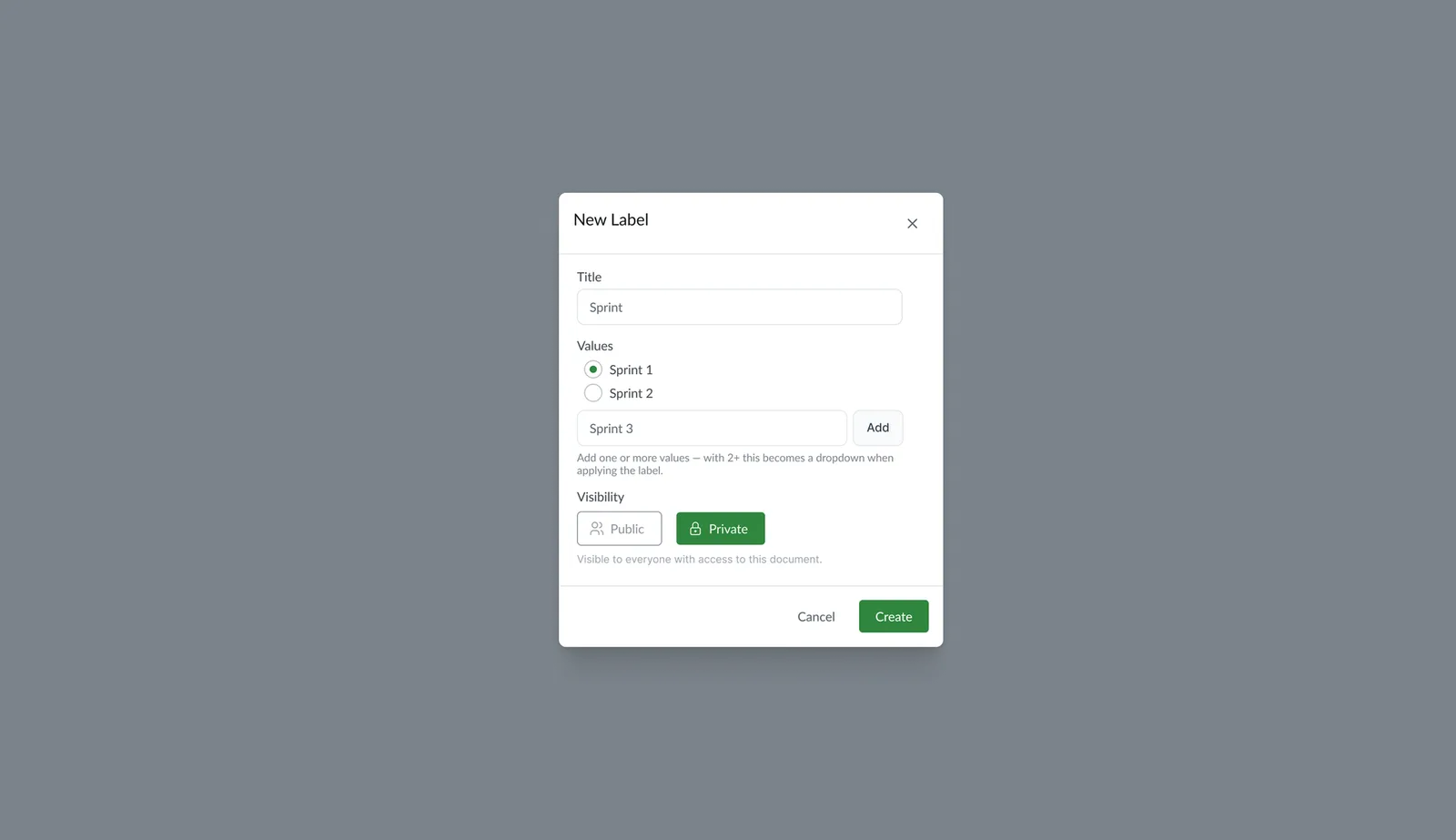
Free-form labels, but created by admins rather than by end users. Each one is set as private to admins or public to specific roles.
Created by admins · applied by their audience
04. The pivot: taking a permission away
In the old version, everyone could create labels. In the new one only admins can, while everyone else selects from what exists, edits values inside set boundaries, or simply views them.
Field definitions now begin with a short conversation with the admin instead of appearing ad hoc from any user. That single change closes the exact gap that caused the pollution: structure comes first, and flexibility is scoped underneath it rather than sitting on top.
One decision took the longest: whether labels should appear on the results page at all. They carry real signal, so the pull was to show them. We left them out — the results page has to stay scannable, and every extra chip costs a user reading speed on the thing they actually came for. Labels are searchable from the search bar instead, so the value is reachable without paying for it on every result.
Image to add
Sometimes the right decision is removing a permission rather than adding a feature. Usability is not only what people can do — it is protecting what the system means over time.
The role changed which question I asked.
As a designer, I would have fixed the label picker. As PM, I had to fix who gets to create meaning in the system at all — and that is a governance decision, not a UI one.
The PM work was scope: negotiating with stakeholders, deciding which of the ideas on the table mattered first, and choosing the angle the first release would take.
That shift is what stayed with me: holding both roles changed the questions I ask as a designer, not just how I run a project.