Workspace Skills
Skills are reusable, pre-configured AI tasks in iAssistant Workspace. Some are built in — summarise, translate, compare. Others are configured once around a client’s own recurring work. Activate one, and the model runs it asynchronously across dozens of documents while the conversation keeps going.
- When
- 2026
- Status
- In development
- My role
- Product designer
- Worked with
- Head of Product, Product Manager, backend and frontend engineers
01. Chat is synchronous. Document work isn’t.
A chat interface assumes one prompt, one response, a few seconds of waiting. That holds for “what does this contract say?”. It breaks for “summarise all 23 documents in this tender and translate the three German ones” — a multi-document task that can run for up to an hour.
Clients in public administration and bid management asked for exactly this kind of work. In client conversations and support tickets the same two things kept coming up: people did not want to wait in front of a spinner, and they did not know what they would get back or where to find it afterwards.
02. Skills: tasks you configure once and run on demand
Instead of rewriting the same long prompt every time, a skill packages the instruction, the inputs and the expected output. It runs the same way on every activation.
Built-in actions
Common jobs that work on any set of documents, available to everyone from the first day.
- Summarise
- Translate
- Compare
Client skills
A client regularly receives questionnaires from auditors and partners. Their skill reads each question, finds the answer across their own documentation and fills in the gaps. They set it up once and run it every time a new one arrives.
- Fill in a questionnaire
- Run on demand
03. Running long AI tasks without blocking the conversation
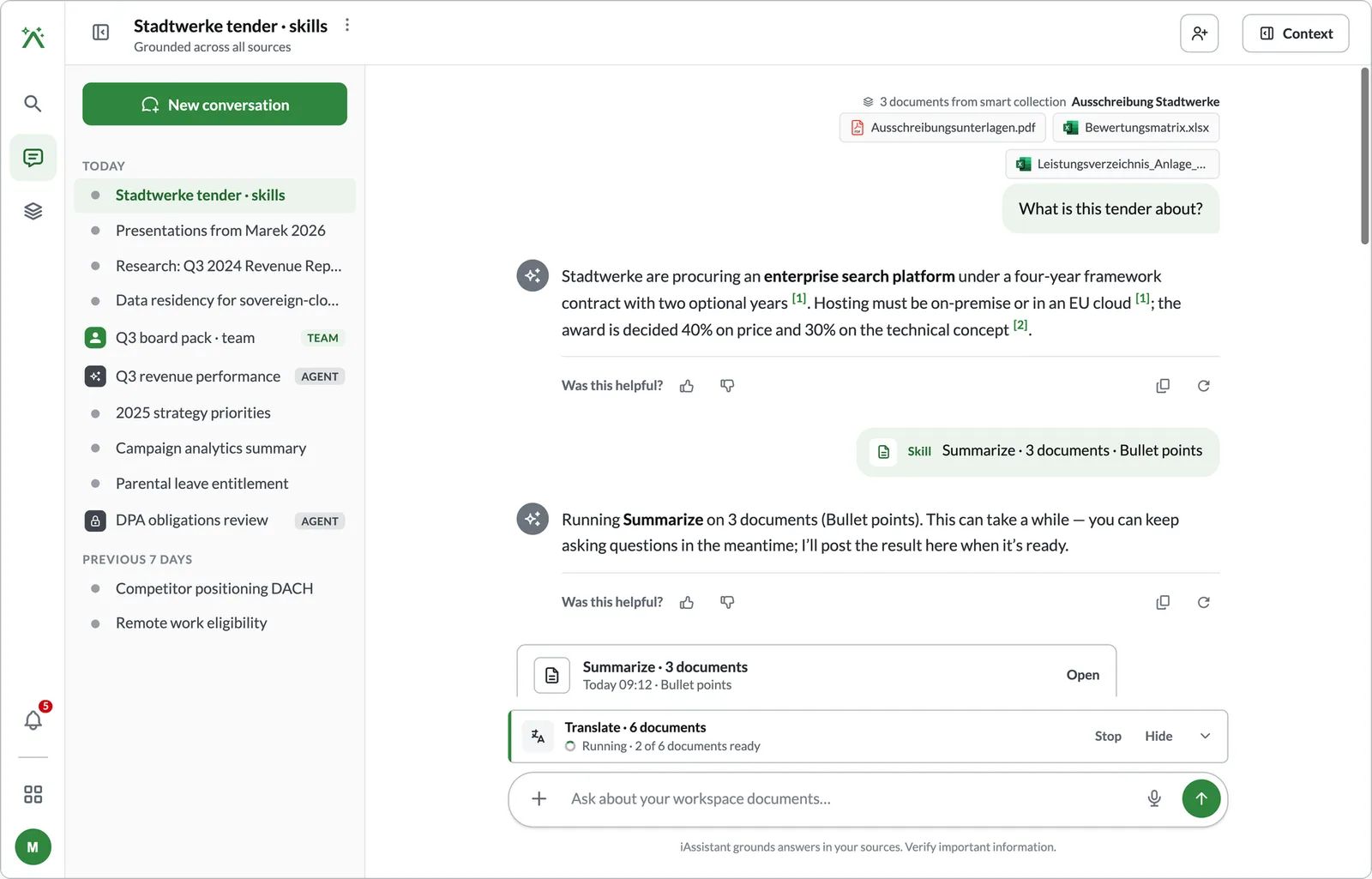
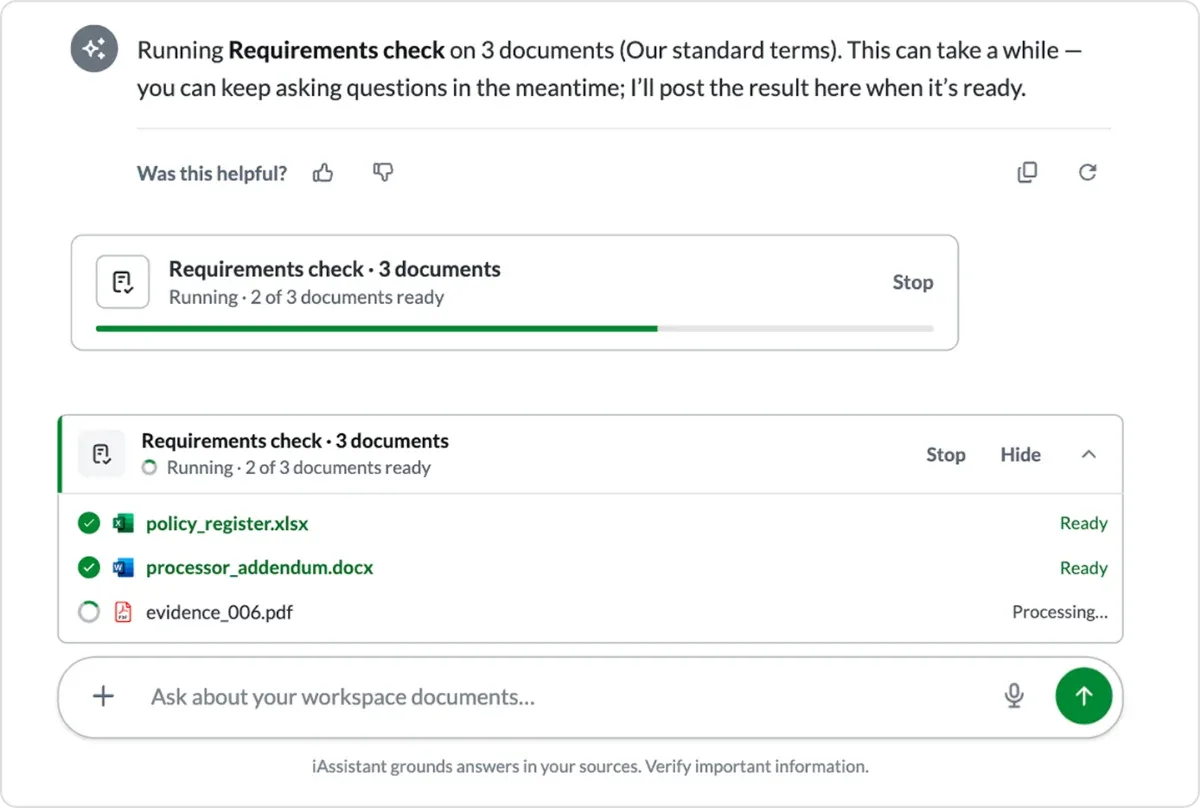
My first idea was a separate panel for background jobs. I dropped it because it split the task from the context it was grounded in. Activating a skill is recorded in the thread, the model confirms it has started, runs in the background over the selected documents, and writes the output back into the same conversation.
Activate
Type “/” or open the skill menu, then pick the documents, grouped by where they came from. The send button becomes “Run skill”.
Run in the background
The conversation is never blocked. Progress sits above the input field and shows each document: done, in progress, queued.
Return to the thread
“Finished · See summary” jumps to the result. If you left the Workspace, a notification links straight back.
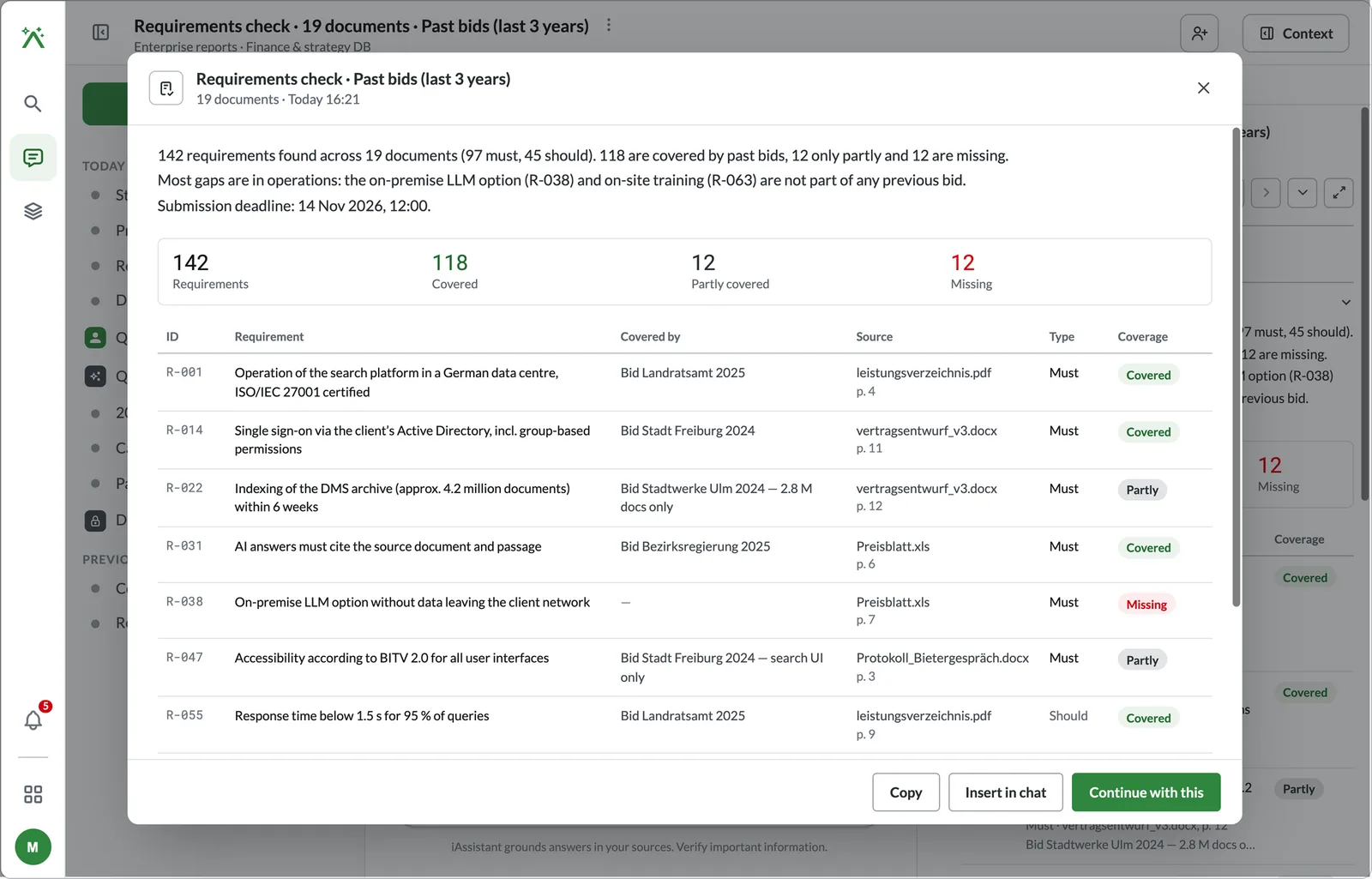
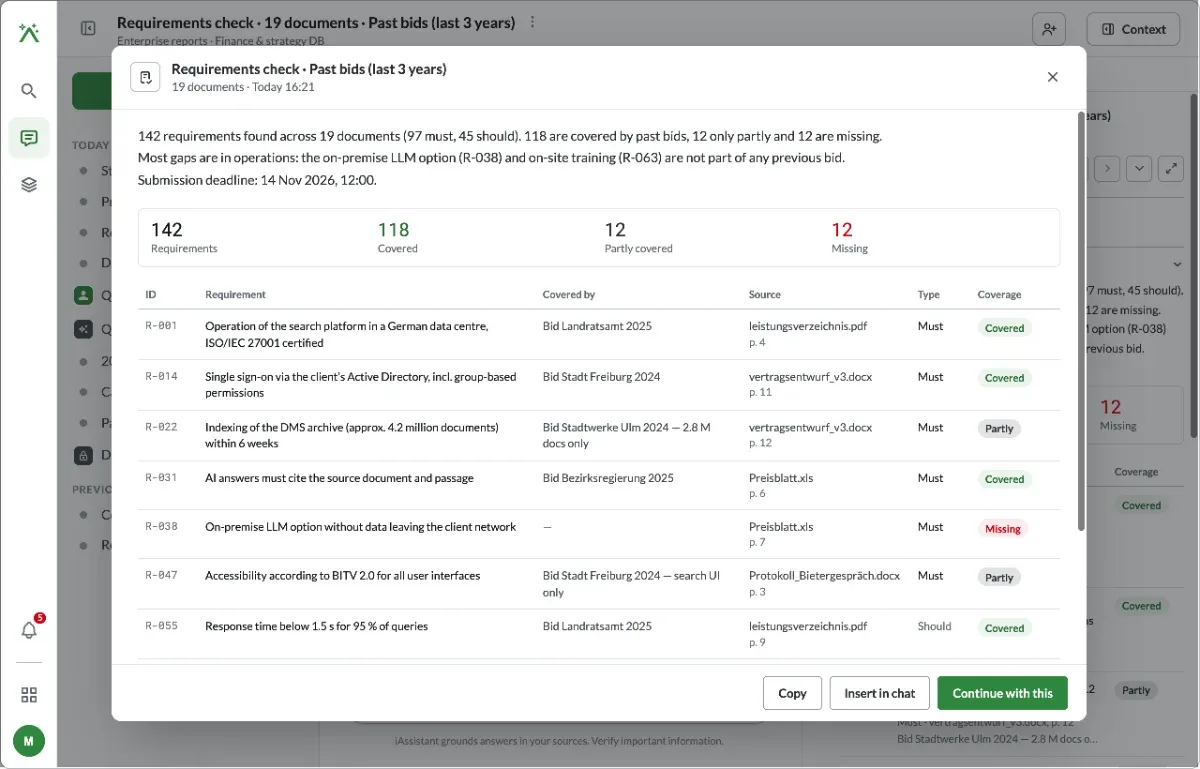
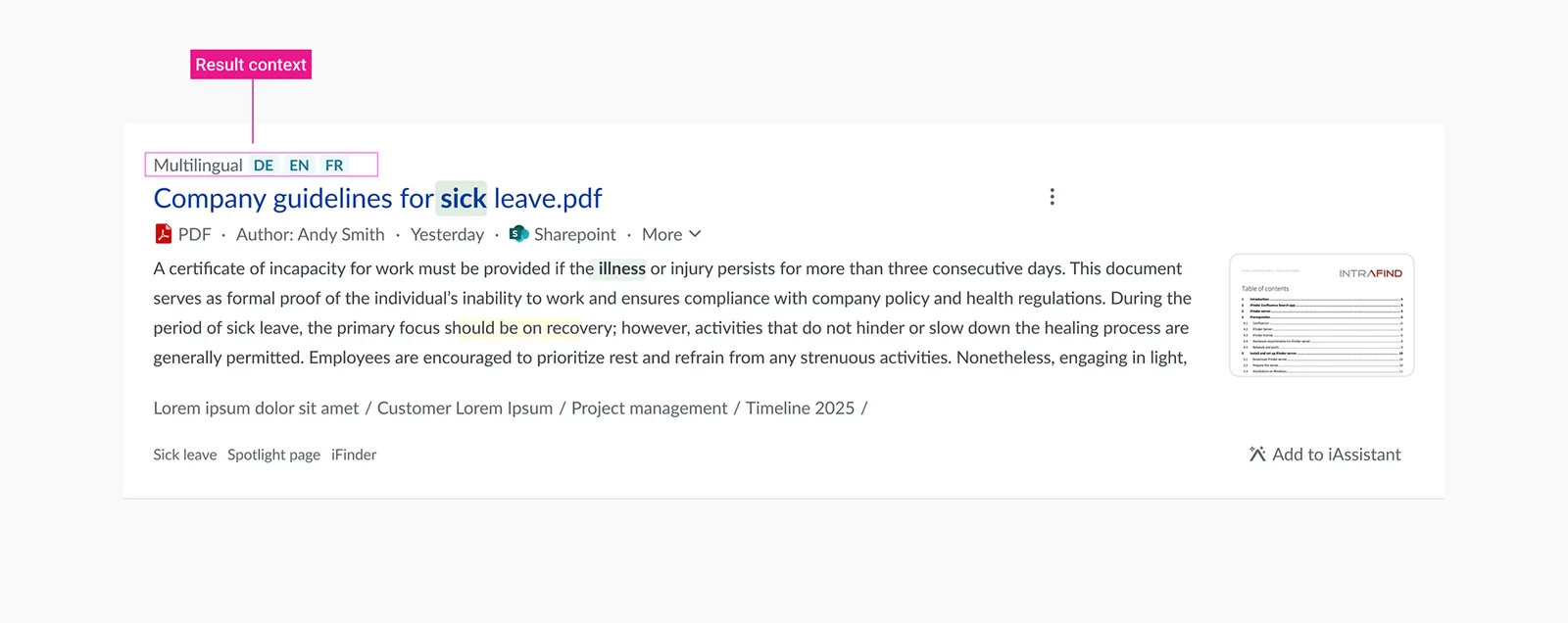
Skills straight from the search results
Skills shouldn’t require opening the Workspace, attaching documents and starting a conversation first. I brought them onto the search results, so people can run one on a document before deciding it is worth their time.
Search
Find a document that might be the one.
Summarise it
Run the summary skill on the result instead of reading the whole document.
Commit or move on
If it’s what you need, continue in the Workspace with the context already attached.
I explored three places for it — the Spotlight page, a dialog and the Workspace. With the Head of Product we chose a split: one document opens its summary inline under the result; several go straight to the Workspace.
Image to add
04. From one prompt, one answer to delegated work
People hand off long work, keep asking questions, and pick up the result without losing their place.
| The user’s task | Before | After |
|---|---|---|
| Summarise 20+ documents | One question per document | One skill, results arrive in the same conversation |
| Answer a questionnaire | Search for each answer by hand | Run the client’s skill; the gaps are filled from their documents |
| Keep working while it runs | Wait, or start a new conversation | Keep chatting; progress stays above the input |
| Find the result later | Scroll back, or search again | “See summary” jumps to it; a notification links back |
Long-running AI work should run asynchronously, report its progress, and return its output where the user already is.