Showing which sources an answer actually came from
Workspace is a feature inside iFinder, IntraFind’s enterprise AI search platform. It answers exclusively from the company’s own indexed documents. Since every answer draws on internal, often sensitive data, users need to know exactly which documents back a response, so they can verify them manually if needed.
- When
- 2026 · planned 2 months, extended to 3
- Status
- Designed and approved, in development
- Worked with
- Head of Product, Product Manager, AI team
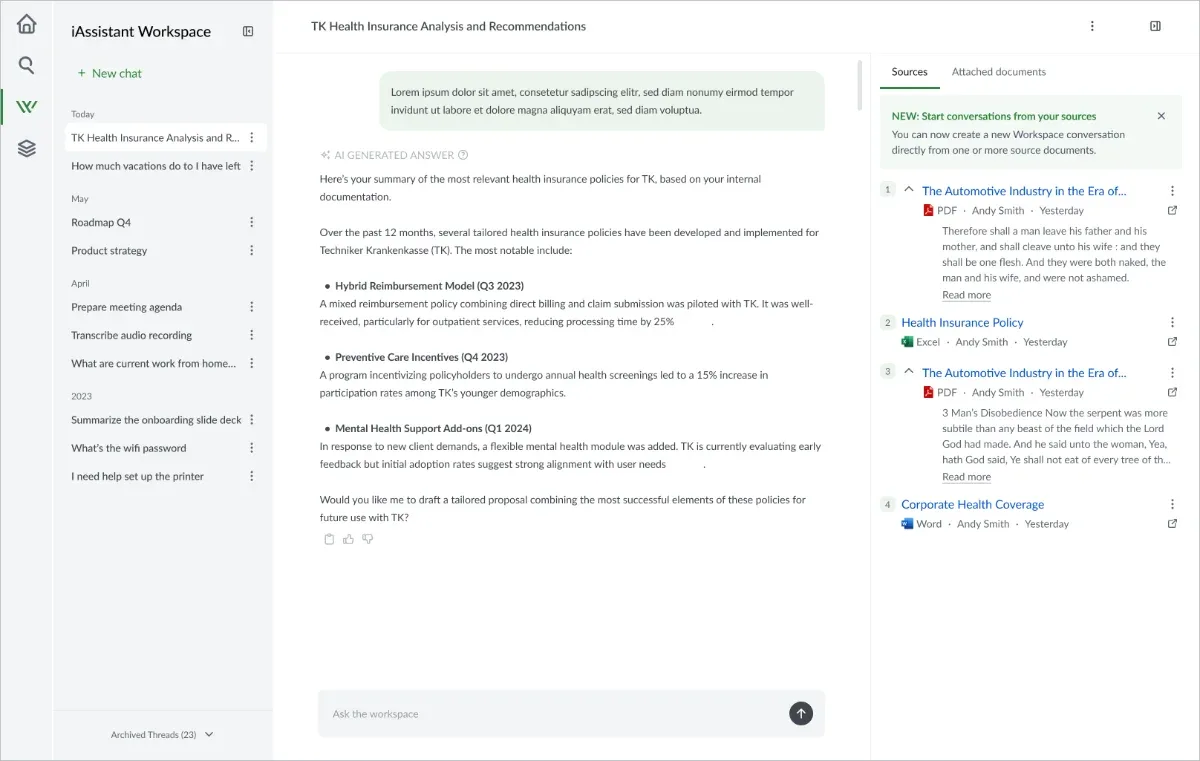
01. Every document the AI looked at appeared as a source
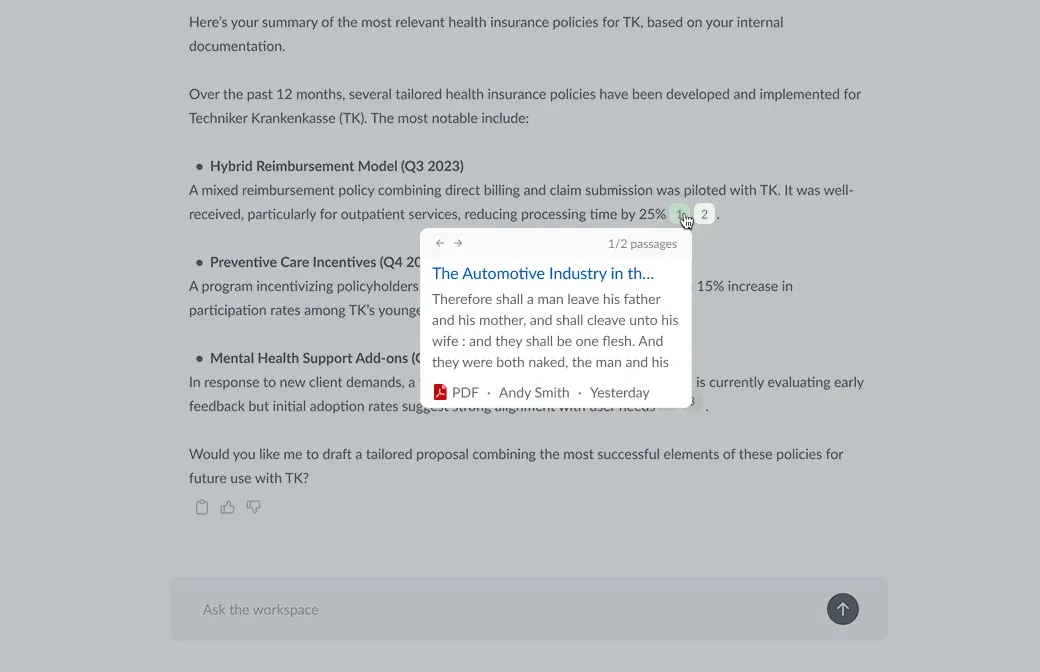
Nobody filed this as a bug. Working through the product with the AI team, we could see that retrieval was surfacing documents accurately but presenting them flatly: every document scanned appeared in the panel, whether or not it had contributed to the answer. Client conversations and support feedback described the same friction from the other side — people could not tell what to trust, so verifying an answer meant opening every source one by one.
02. One list became three groups
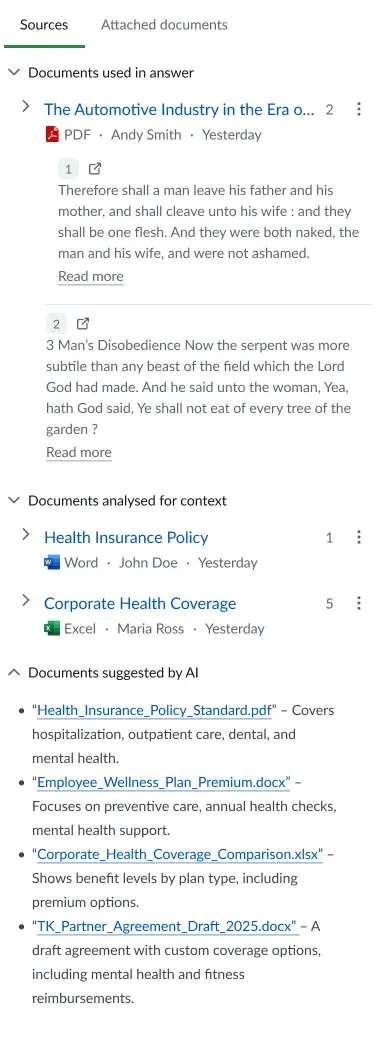
I considered hiding the unused documents — but seeing what the system looked at is part of checking its work. I considered ordering them by relevance — but an order still does not say which ones produced the answer. Grouping by role was the only version that answered the question directly.
- Not used to generate the answer
The AI read it, then set it aside
Shown so you can check what the search covered — and marked clearly as not behind this answer.
- Used to generate the answer
The answer was written from it
If these documents look right, the answer can be trusted; if not, you know to dig further.
- Further reading
Related, but not used to answer it
Worth reading next if you want more on the subject — never to be mistaken for what the answer is based on.
03. What changed for the user
Sorting the sources into three groups is what changed the experience. You can see at a glance which documents produced the answer, instead of opening each one to find out.
| The user’s task | Before | After |
|---|---|---|
| Find what backs the answer | Open each source in turn until the relevant ones appear | Read it off the panel — the used set is its own group |
| Decide whether to trust it | Guesswork — no way to tell contribution from coincidence | If the right documents drove it, trust it; if not, dig further |
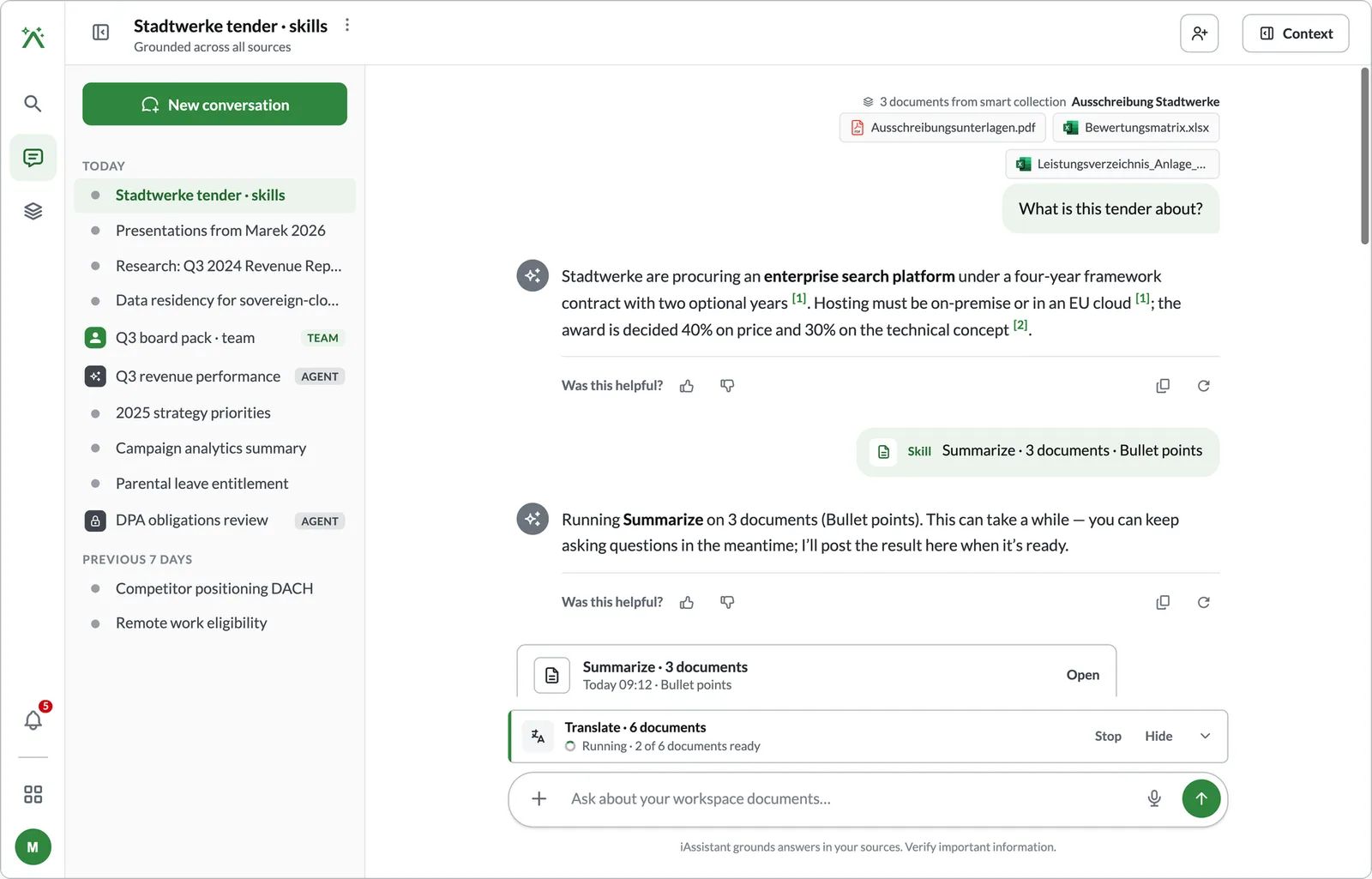
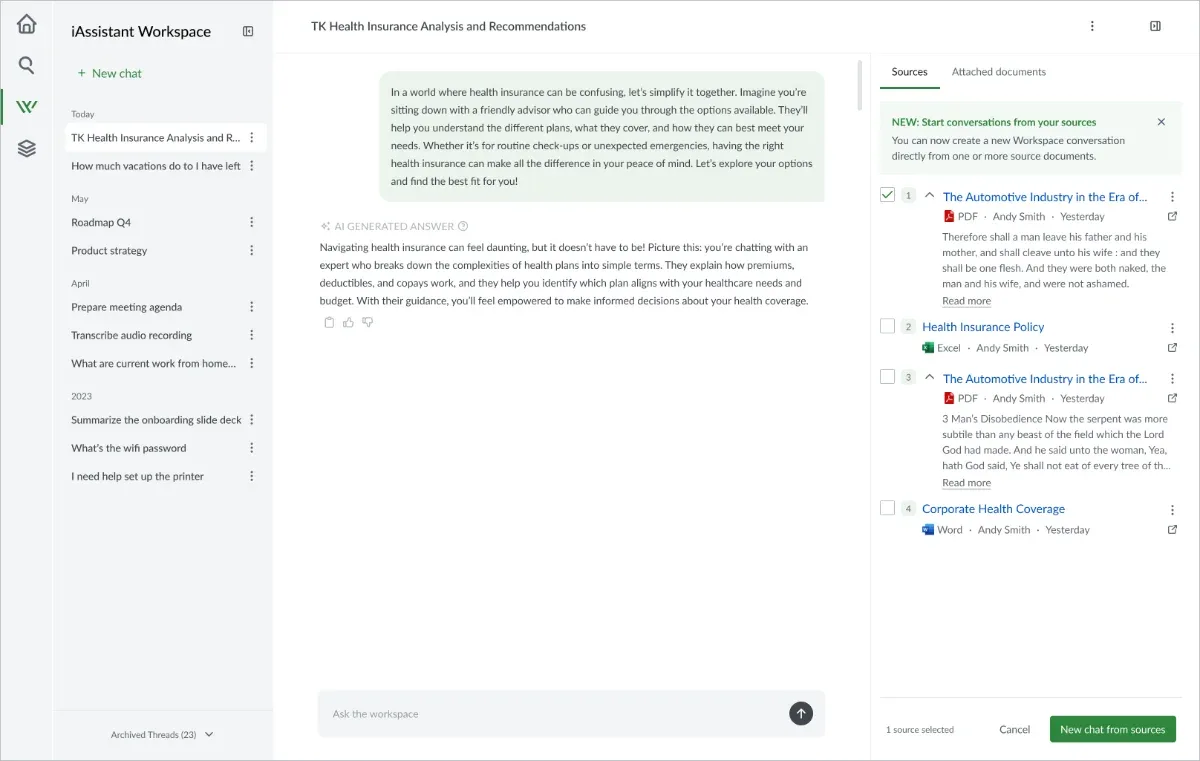
| Go deeper on one source | Not possible — you could only keep asking the whole index | Start a conversation limited to that document, with the limit shown on screen |
The third task was not in the brief
Grouping the sources solved the first two tasks. But walking back through what a user does after reading an answer, we found a third one with no answer at all: when they wanted to dig into one specific document, there was nothing to click.
So we widened the scope and built it — starting a conversation limited to a single source. It was not in the original plan, which is why the project ran a month longer than intended.
Transparency isn’t showing sources after the fact. It’s separating what was looked at from what was actually used, so users can judge an answer at a glance instead of re-verifying it by hand.